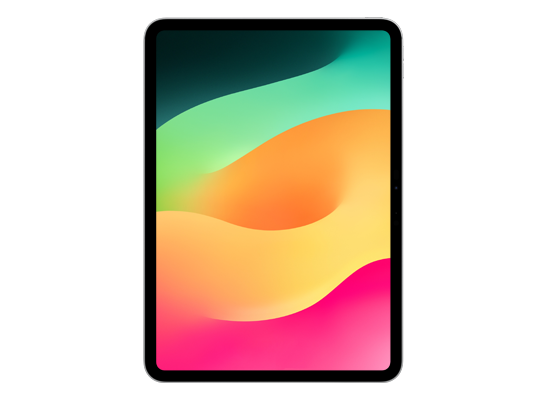
iPadOS 27

IPSW · iPadOS

iPadOS 27.0 beta 3 IPSW Download (24A5380l)

Build 24A5380l, released July 13, 2026 — restore images for 23 iPads, straight from Apple's servers.

Beta Build 24A5380l Size 10.41 GB – 12.26 GB All iPadOS 27 builds →
Apple is signing this build. You can restore to it now in Finder, the Apple Devices app, iTunes or Apple Configurator. Signing status checked September 16, 2026.

Choose your iPad

23 devices. Each row is one file on Apple's CDN.
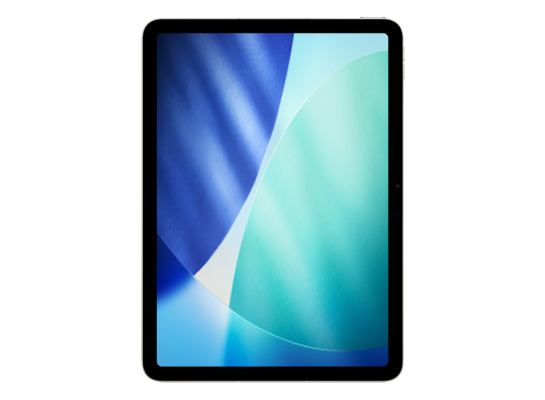
iPad Air 11-inch (M4)
Signed iPad16,8, iPad16,9 11.64 GB
Download
FilenameiPad16,10,iPad16,11,iPad16,8,iPad16,9_27.0_24A5380l_Restore.ipsw SHA-256b6690305e42c984ae58253ec956f1ea053bf6375bd4cf7f94e7060cb52ba491d Direct URLhttps://updates.cdn-apple.com/2026SpringSeed/fullrestores/140-39266/24382477-66B7-4FD4-9243-D025FBF1E226/iPad16,10,iPad16,11,iPad16,8,iPad16,9_27.0_24A5380l_Restore.ipsw Size11,642,324,516 bytes (11.64 GB)
iPad Air 13-inch (M4)
Signed iPad16,10, iPad16,11 11.64 GB
Download
FilenameiPad16,10,iPad16,11,iPad16,8,iPad16,9_27.0_24A5380l_Restore.ipsw SHA-256b6690305e42c984ae58253ec956f1ea053bf6375bd4cf7f94e7060cb52ba491d Direct URLhttps://updates.cdn-apple.com/2026SpringSeed/fullrestores/140-39266/24382477-66B7-4FD4-9243-D025FBF1E226/iPad16,10,iPad16,11,iPad16,8,iPad16,9_27.0_24A5380l_Restore.ipsw Size11,642,324,516 bytes (11.64 GB)
iPad Pro 11-inch (M5)
Signed iPad17,1, iPad17,2 11.66 GB
Download
FilenameiPad17,1,iPad17,2,iPad17,3,iPad17,4_27.0_24A5380l_Restore.ipsw SHA-256f6548bc40f76c1fac1dc86b52faad02380215c8409c0cd82eed3be8db566c489 Direct URLhttps://updates.cdn-apple.com/2026SpringSeed/fullrestores/140-38638/F64E0AEA-C297-4498-BC67-CB2A7651D3FD/iPad17,1,iPad17,2,iPad17,3,iPad17,4_27.0_24A5380l_Restore.ipsw Size11,658,621,659 bytes (11.66 GB)
iPad Pro 13-inch (M5)
Signed iPad17,3, iPad17,4 11.66 GB
Download
FilenameiPad17,1,iPad17,2,iPad17,3,iPad17,4_27.0_24A5380l_Restore.ipsw SHA-256f6548bc40f76c1fac1dc86b52faad02380215c8409c0cd82eed3be8db566c489 Direct URLhttps://updates.cdn-apple.com/2026SpringSeed/fullrestores/140-38638/F64E0AEA-C297-4498-BC67-CB2A7651D3FD/iPad17,1,iPad17,2,iPad17,3,iPad17,4_27.0_24A5380l_Restore.ipsw Size11,658,621,659 bytes (11.66 GB)
iPad (A16)
Signed iPad15,7 10.71 GB
Download
FilenameiPad15,7_27.0_24A5380l_Restore.ipsw SHA-256c0a74f89c8e41cd6c4c4edc361493aa258f7fc85b0d480f563304673fad7ae51 Direct URLhttps://updates.cdn-apple.com/2026SpringSeed/fullrestores/140-39078/1084F745-43EA-41DC-9D40-A7DA633A83DE/iPad15,7_27.0_24A5380l_Restore.ipsw Size10,707,607,523 bytes (10.71 GB)
iPad (A16)
iPad (A16) Wi-Fi + Cellular
Signed iPad15,8 10.99 GB
Download
FilenameiPad15,8_27.0_24A5380l_Restore.ipsw SHA-2569f585d3c27d987b987457132a59acb86fa019df8fc77cab4c3be4bfad2d1db27 Direct URLhttps://updates.cdn-apple.com/2026SpringSeed/fullrestores/140-39241/7FBA62B1-C420-45C2-B747-392384D696AC/iPad15,8_27.0_24A5380l_Restore.ipsw Size10,990,788,708 bytes (10.99 GB)
iPad Air 11-inch (M3)
Signed iPad15,3, iPad15,4 11.51 GB
Download
FilenameiPad15,3,iPad15,4,iPad15,5,iPad15,6_27.0_24A5380l_Restore.ipsw SHA-2566ccb7b34558e6cccaf09d57d68bb071b38a125093f324da4715f06383cdfc025 Direct URLhttps://updates.cdn-apple.com/2026SpringSeed/fullrestores/140-38591/778A29EE-01D9-454D-8EF5-5AF41EF0B5CC/iPad15,3,iPad15,4,iPad15,5,iPad15,6_27.0_24A5380l_Restore.ipsw Size11,507,943,108 bytes (11.51 GB)
iPad Air 13-inch (M3)
Signed iPad15,5, iPad15,6 11.51 GB
Download
FilenameiPad15,3,iPad15,4,iPad15,5,iPad15,6_27.0_24A5380l_Restore.ipsw SHA-2566ccb7b34558e6cccaf09d57d68bb071b38a125093f324da4715f06383cdfc025 Direct URLhttps://updates.cdn-apple.com/2026SpringSeed/fullrestores/140-38591/778A29EE-01D9-454D-8EF5-5AF41EF0B5CC/iPad15,3,iPad15,4,iPad15,5,iPad15,6_27.0_24A5380l_Restore.ipsw Size11,507,943,108 bytes (11.51 GB)
iPad mini (A17 Pro)
Signed iPad16,1, iPad16,2 11.75 GB
Download
FilenameiPad16,1,iPad16,2_27.0_24A5380l_Restore.ipsw SHA-2566029c23009cf7a4b11d06a4b189c1a880c362a17ddb9ebafd2a05327b756f9bd Direct URLhttps://updates.cdn-apple.com/2026SpringSeed/fullrestores/140-39181/1268A249-8352-4E05-8738-1CF7E42BC6C7/iPad16,1,iPad16,2_27.0_24A5380l_Restore.ipsw Size11,749,259,621 bytes (11.75 GB)
iPad Air 11-inch (M2)
Signed iPad14,8, iPad14,9 11.54 GB
Download
FilenameiPad_Air_M2_27.0_24A5380l_Restore.ipsw SHA-256756ea12cd3e9d9cae8f872f3611344496af529bd2de70a3da21a8022c57c3261 Direct URLhttps://updates.cdn-apple.com/2026SpringSeed/fullrestores/140-38994/8F4D4FA9-11EF-4F03-8D96-AB55B0454F81/iPad_Air_M2_27.0_24A5380l_Restore.ipsw Size11,535,268,744 bytes (11.54 GB)
iPad Air 13-inch (M2)
Signed iPad14,10, iPad14,11 11.54 GB
Download
FilenameiPad_Air_M2_27.0_24A5380l_Restore.ipsw SHA-256756ea12cd3e9d9cae8f872f3611344496af529bd2de70a3da21a8022c57c3261 Direct URLhttps://updates.cdn-apple.com/2026SpringSeed/fullrestores/140-38994/8F4D4FA9-11EF-4F03-8D96-AB55B0454F81/iPad_Air_M2_27.0_24A5380l_Restore.ipsw Size11,535,268,744 bytes (11.54 GB)
iPad Pro 11-inch (M4)
Signed iPad16,3, iPad16,4 12.26 GB
Download
FilenameiPad_Pro_M4_27.0_24A5380l_Restore.ipsw SHA-2564600fbdc080cbafd15c441bd0720100a72b4c7da35ea5a3a1cd7d445acea94c2 Direct URLhttps://updates.cdn-apple.com/2026SpringSeed/fullrestores/140-38528/A11E3BEF-3BFA-4A51-8ED5-7A2CF189C367/iPad_Pro_M4_27.0_24A5380l_Restore.ipsw Size12,258,007,283 bytes (12.26 GB)
iPad Pro 13-inch (M4)
Signed iPad16,5, iPad16,6 12.26 GB
Download
FilenameiPad_Pro_M4_27.0_24A5380l_Restore.ipsw SHA-2564600fbdc080cbafd15c441bd0720100a72b4c7da35ea5a3a1cd7d445acea94c2 Direct URLhttps://updates.cdn-apple.com/2026SpringSeed/fullrestores/140-38528/A11E3BEF-3BFA-4A51-8ED5-7A2CF189C367/iPad_Pro_M4_27.0_24A5380l_Restore.ipsw Size12,258,007,283 bytes (12.26 GB)
iPad (10th generation)
Signed iPad13,18, iPad13,19 10.60 GB
Download
FilenameiPad_Fall_2022_27.0_24A5380l_Restore.ipsw SHA-256915c9a10ca08b49a3d0ff29cd86bcf853fa8f2790981a4728dc889331200b58d Direct URLhttps://updates.cdn-apple.com/2026SpringSeed/fullrestores/140-38487/1E5415B0-19BD-4C18-9609-05F27952CE01/iPad_Fall_2022_27.0_24A5380l_Restore.ipsw Size10,598,321,949 bytes (10.60 GB)
iPad Pro 11-inch (4th generation)
Signed iPad14,3, iPad14,4 11.37 GB
Download
FilenameiPad14,3,iPad14,4,iPad14,5,iPad14,6_27.0_24A5380l_Restore.ipsw SHA-256000475e1cc40798329cc6724d71e8cb915ff64cbf891b55c35873d30a9a1ca3a Direct URLhttps://updates.cdn-apple.com/2026SpringSeed/fullrestores/140-38913/76068E8A-C25C-43C1-979F-DCFCCF34BF94/iPad14,3,iPad14,4,iPad14,5,iPad14,6_27.0_24A5380l_Restore.ipsw Size11,371,852,630 bytes (11.37 GB)
iPad Pro 12.9-inch (6th generation)
Signed iPad14,5, iPad14,6 11.37 GB
Download
FilenameiPad14,3,iPad14,4,iPad14,5,iPad14,6_27.0_24A5380l_Restore.ipsw SHA-256000475e1cc40798329cc6724d71e8cb915ff64cbf891b55c35873d30a9a1ca3a Direct URLhttps://updates.cdn-apple.com/2026SpringSeed/fullrestores/140-38913/76068E8A-C25C-43C1-979F-DCFCCF34BF94/iPad14,3,iPad14,4,iPad14,5,iPad14,6_27.0_24A5380l_Restore.ipsw Size11,371,852,630 bytes (11.37 GB)
iPad Air (5th generation)
Signed iPad13,16, iPad13,17 11.31 GB
Download
FilenameiPad_Spring_2022_27.0_24A5380l_Restore.ipsw SHA-2565cfb03a3c59aa17a7748a47006154e04da47e12e5d9a6a7e0334834ba975fa4d Direct URLhttps://updates.cdn-apple.com/2026SpringSeed/fullrestores/140-39361/8489A91D-3822-4274-981F-E32E6C497011/iPad_Spring_2022_27.0_24A5380l_Restore.ipsw Size11,311,290,612 bytes (11.31 GB)
iPad (9th generation)
Signed iPad12,1, iPad12,2 10.41 GB
Download
FilenameiPad_10.2_2021_27.0_24A5380l_Restore.ipsw SHA-2566ead6995aa7ba20f7fa788bb0ad95a5387207fe7561e1ad08d9736060e63958d Direct URLhttps://updates.cdn-apple.com/2026SpringSeed/fullrestores/140-39221/89D0E969-29C1-447A-976D-D9114D7EBDC1/iPad_10.2_2021_27.0_24A5380l_Restore.ipsw Size10,405,311,799 bytes (10.41 GB)
iPad mini (6th generation)
Signed iPad14,1, iPad14,2 10.80 GB
Download
FilenameiPad_Fall_2021_27.0_24A5380l_Restore.ipsw SHA-25688f05fad2dd84893380acdb6205f000665e95235a92c0ef624f3dbe7961014bb Direct URLhttps://updates.cdn-apple.com/2026SpringSeed/fullrestores/140-38841/DB8EEA9D-83CC-4560-B8BC-360D9E8DED68/iPad_Fall_2021_27.0_24A5380l_Restore.ipsw Size10,800,675,431 bytes (10.80 GB)
iPad Pro 11-inch (3rd generation)
Signed iPad13,4, iPad13,5, iPad13,6, iPad13,7 11.30 GB

Download
FilenameiPad_Pro_Spring_2021_27.0_24A5380l_Restore.ipsw SHA-256c705197a5efd817d48eee6c160f5a4090aa7d4999452ffc873dfbca954e45404 Direct URLhttps://updates.cdn-apple.com/2026SpringSeed/fullrestores/140-38891/01CCF895-A30E-4E7B-B70B-2CEE443CC6AF/iPad_Pro_Spring_2021_27.0_24A5380l_Restore.ipsw Size11,303,267,943 bytes (11.30 GB)
iPad Pro 12.9-inch (5th generation)
Signed iPad13,8, iPad13,9, iPad13,10, iPad13,11 11.30 GB

Download
FilenameiPad_Pro_Spring_2021_27.0_24A5380l_Restore.ipsw SHA-256c705197a5efd817d48eee6c160f5a4090aa7d4999452ffc873dfbca954e45404 Direct URLhttps://updates.cdn-apple.com/2026SpringSeed/fullrestores/140-38891/01CCF895-A30E-4E7B-B70B-2CEE443CC6AF/iPad_Pro_Spring_2021_27.0_24A5380l_Restore.ipsw Size11,303,267,943 bytes (11.30 GB)
iPad Air (4th generation)
Signed iPad13,1, iPad13,2 10.67 GB
Download
FilenameiPad_Fall_2020_27.0_24A5380l_Restore.ipsw SHA-256aec6e4f2c9831bb7e8e5179d9cef9255b6a0d81c46a109f393ba244b716d830b Direct URLhttps://updates.cdn-apple.com/2026SpringSeed/fullrestores/140-39161/B24485DB-D8ED-4970-A52D-6F6703EE2F28/iPad_Fall_2020_27.0_24A5380l_Restore.ipsw Size10,671,857,777 bytes (10.67 GB)
iPad Pro 11-inch (2nd generation)
Signed iPad8,9, iPad8,10 10.62 GB
Download
FilenameiPad_Pro_A12X_A12Z_27.0_24A5380l_Restore.ipsw SHA-256e15f90d40b60569afeba890dc0f9f64248de45950495b76c4f819a59ca85ff4a Direct URLhttps://updates.cdn-apple.com/2026SpringSeed/fullrestores/140-38799/94CAFFFC-0AAB-4FDB-9488-F7433F0B9652/iPad_Pro_A12X_A12Z_27.0_24A5380l_Restore.ipsw Size10,622,821,745 bytes (10.62 GB)
iPad Pro 12.9-inch (4th generation)
Signed iPad8,11, iPad8,12 10.62 GB
Download
FilenameiPad_Pro_A12X_A12Z_27.0_24A5380l_Restore.ipsw SHA-256e15f90d40b60569afeba890dc0f9f64248de45950495b76c4f819a59ca85ff4a Direct URLhttps://updates.cdn-apple.com/2026SpringSeed/fullrestores/140-38799/94CAFFFC-0AAB-4FDB-9488-F7433F0B9652/iPad_Pro_A12X_A12Z_27.0_24A5380l_Restore.ipsw Size10,622,821,745 bytes (10.62 GB)
Version
iPadOS 27.0 beta 3
Build
24A5380l
Released
July 13, 2026
Channel
Developer & public beta
Previous
iPadOS 26.6 beta 5
Next
iPadOS 27.0 beta 4

How to install iPadOS 27.0 beta 3 from the IPSW

Four steps, and the one that matters most is the first.

Back up first

A restore erases the device. Make an archived backup in Finder or the Apple Devices app — an iCloud backup taken on a newer version cannot be restored onto an older one. Our backup guide covers the difference.

Get the file for your exact model

Check Settings → General → About → Model Name, then download the IPSW for that device. The download shows the file size; compare it with the SHA-256 under Details if you want to be certain the file is intact.

Restore in Finder or Apple Devices

Connect with a cable, select the device, then hold Option (Mac) or Shift (Windows) and click Restore to choose the .ipsw. Update keeps your data but only works upward; Restore erases and is how you downgrade.

Set up or restore your backup

After the restore the device starts fresh. Restore the backup you made — only if it came from the same or an older version than the one you just installed.

Questions? Answers.

Can I restore iPadOS 27.0 beta 3 today?

Yes. Apple is signing build 24A5380l for every listed device, so a restore in Finder, the Apple Devices app or iTunes will complete.

Which is the right file for my device?

Match the identifier in Settings → General → About (or under the model's name here) against the one on each row. Wi-Fi and Cellular iPads share a file; different generations never do. Restoring the wrong device's IPSW simply fails — it cannot damage the device.

What does "signed" mean?

Apple's servers must approve a firmware before a device will accept it, and Apple only approves the builds it is currently shipping. A signed file can be restored today; an unsigned one is rejected at the end of the process, however you obtained it. Signing status changes without notice, usually within days of a newer release, which is why this catalogue rechecks it automatically.

Will I lose my data?

A Restore erases the device — that is what makes a downgrade possible. An Update with an IPSW keeps your data, but only when moving to a newer version. Either way, make an archived backup on a computer first; an iCloud backup taken on a newer version will not restore onto an older one.