iPadOS 18

IPSW · iPadOS

iPadOS 18.2 IPSW Download (22C152)

Build 22C152, released December 11, 2024 — restore images for 22 iPads, straight from Apple's servers.

Release Build 22C152 Size 7.66 GB – 9.21 GB All iPadOS 18 builds →
Apple has stopped signing this build. A restore will be rejected at the final step. The files stay listed for reference. Signing status checked September 16, 2026.

Choose your iPad

22 devices. Each row is one file on Apple's CDN.
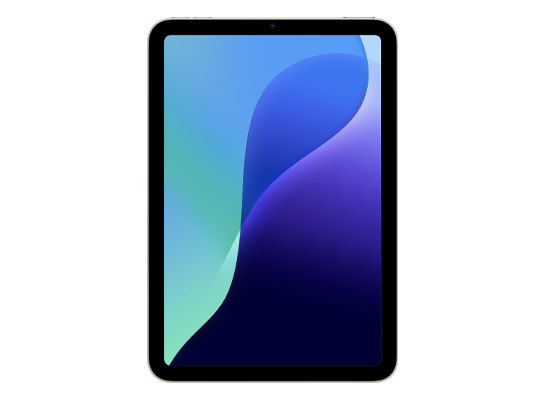
iPad mini (A17 Pro)
Unsigned iPad16,1, iPad16,2 8.99 GB
Download
FilenameiPad16,1,iPad16,2_18.2_22C152_Restore.ipsw SHA-2564718b8b3037517b220339ae8aa9b3f1a97fc9ec8e8b6733b167a08a1923c4a80 Direct URLhttps://updates.cdn-apple.com/2024FallFCS/fullrestores/072-43284/40B3C6F9-C99E-4CD6-9EA5-B4B7A46B8A67/iPad16,1,iPad16,2_18.2_22C152_Restore.ipsw Size8,994,253,919 bytes (8.99 GB)
iPad Air 11-inch (M2)
Unsigned iPad14,8, iPad14,9 8.69 GB
Download
FilenameiPad_Air_M2_18.2_22C152_Restore.ipsw SHA-256763f58f437086bdc2d315561ded93f29d463860c3b7470c1b0264f4deecd2a3f Direct URLhttps://updates.cdn-apple.com/2024FallFCS/fullrestores/072-43833/025D8603-1FF5-42C7-BA38-642BB40C2F65/iPad_Air_M2_18.2_22C152_Restore.ipsw Size8,693,438,734 bytes (8.69 GB)
iPad Air 13-inch (M2)
Unsigned iPad14,10, iPad14,11 8.69 GB
Download
FilenameiPad_Air_M2_18.2_22C152_Restore.ipsw SHA-256763f58f437086bdc2d315561ded93f29d463860c3b7470c1b0264f4deecd2a3f Direct URLhttps://updates.cdn-apple.com/2024FallFCS/fullrestores/072-43833/025D8603-1FF5-42C7-BA38-642BB40C2F65/iPad_Air_M2_18.2_22C152_Restore.ipsw Size8,693,438,734 bytes (8.69 GB)
iPad Pro 11-inch (M4)
Unsigned iPad16,3, iPad16,4 9.21 GB
Download
FilenameiPad_Pro_M4_18.2_22C152_Restore.ipsw SHA-256acd9fc0fff72e299c5e25f68e2e02a70a5b28b44b6319c6303349df33ca66c07 Direct URLhttps://updates.cdn-apple.com/2024FallFCS/fullrestores/072-43489/9226ED8A-0FB8-4BDA-95A8-C84E711E1F76/iPad_Pro_M4_18.2_22C152_Restore.ipsw Size9,211,920,388 bytes (9.21 GB)
iPad Pro 13-inch (M4)
Unsigned iPad16,5, iPad16,6 9.21 GB
Download
FilenameiPad_Pro_M4_18.2_22C152_Restore.ipsw SHA-256acd9fc0fff72e299c5e25f68e2e02a70a5b28b44b6319c6303349df33ca66c07 Direct URLhttps://updates.cdn-apple.com/2024FallFCS/fullrestores/072-43489/9226ED8A-0FB8-4BDA-95A8-C84E711E1F76/iPad_Pro_M4_18.2_22C152_Restore.ipsw Size9,211,920,388 bytes (9.21 GB)
iPad (10th generation)
Unsigned iPad13,18, iPad13,19 8.55 GB
Download
FilenameiPad_Fall_2022_18.2_22C152_Restore.ipsw SHA-2568dcceb3d3a8088e990539143f9f0a46589dc47ce6b23a52832884b854880cb8d Direct URLhttps://updates.cdn-apple.com/2024FallFCS/fullrestores/072-43399/A46AF891-F771-4D64-A9CD-91DED2C55544/iPad_Fall_2022_18.2_22C152_Restore.ipsw Size8,546,042,256 bytes (8.55 GB)
iPad Pro 11-inch (4th generation)
Unsigned iPad14,3, iPad14,4 8.67 GB
Download
FilenameiPad14,3,iPad14,4,iPad14,5,iPad14,6_18.2_22C152_Restore.ipsw SHA-256083bb9b8c114070dbb9b48bff835af8e93a72c702357c693c469d717f4fb7a52 Direct URLhttps://updates.cdn-apple.com/2024FallFCS/fullrestores/072-43658/8E011D25-4DCC-4C3C-9949-EE8D1E9E014E/iPad14,3,iPad14,4,iPad14,5,iPad14,6_18.2_22C152_Restore.ipsw Size8,668,010,034 bytes (8.67 GB)
iPad Pro 12.9-inch (6th generation)
Unsigned iPad14,5, iPad14,6 8.67 GB
Download
FilenameiPad14,3,iPad14,4,iPad14,5,iPad14,6_18.2_22C152_Restore.ipsw SHA-256083bb9b8c114070dbb9b48bff835af8e93a72c702357c693c469d717f4fb7a52 Direct URLhttps://updates.cdn-apple.com/2024FallFCS/fullrestores/072-43658/8E011D25-4DCC-4C3C-9949-EE8D1E9E014E/iPad14,3,iPad14,4,iPad14,5,iPad14,6_18.2_22C152_Restore.ipsw Size8,668,010,034 bytes (8.67 GB)
iPad Air (5th generation)
Unsigned iPad13,16, iPad13,17 8.55 GB
Download
FilenameiPad_Spring_2022_18.2_22C152_Restore.ipsw SHA-256b073be7c0992d01bc5492160d3750fdc452dd9bbb497db44b6e0ce4e5cb1b444 Direct URLhttps://updates.cdn-apple.com/2024FallFCS/fullrestores/072-42162/5DCC2909-0F7F-4E4E-8FA6-F2293B38C05A/iPad_Spring_2022_18.2_22C152_Restore.ipsw Size8,554,967,120 bytes (8.55 GB)
iPad (9th generation)
Unsigned iPad12,1, iPad12,2 8.08 GB
Download
FilenameiPad_10.2_2021_18.2_22C152_Restore.ipsw SHA-25672baaef07c59e0b2a6c76c009927018311eaf5476f7994d65797dbde977cd17b Direct URLhttps://updates.cdn-apple.com/2024FallFCS/fullrestores/072-43424/9934A103-10D3-40A5-A33F-BEF3F00CE225/iPad_10.2_2021_18.2_22C152_Restore.ipsw Size8,084,622,829 bytes (8.08 GB)
iPad mini (6th generation)
Unsigned iPad14,1, iPad14,2 8.55 GB
Download
FilenameiPad_Fall_2021_18.2_22C152_Restore.ipsw SHA-256fc74596b6df11c8efaef352fe09b96484f04b7006b5b8c0bf4c3c409ad837395 Direct URLhttps://updates.cdn-apple.com/2024FallFCS/fullrestores/072-41934/96102FB8-1AD1-47A4-A4E0-0F422CD546D8/iPad_Fall_2021_18.2_22C152_Restore.ipsw Size8,547,746,657 bytes (8.55 GB)
iPad Pro 11-inch (3rd generation)
Unsigned iPad13,4, iPad13,5, iPad13,6, iPad13,7 8.67 GB

Download
FilenameiPad_Pro_Spring_2021_18.2_22C152_Restore.ipsw SHA-256a51de838b196545467ddf0243161da8fc4b5dbc25ae76bc6730ffb7311348c59 Direct URLhttps://updates.cdn-apple.com/2024FallFCS/fullrestores/072-43753/75D83841-7490-4CD0-BDC5-AA7C1B477FA2/iPad_Pro_Spring_2021_18.2_22C152_Restore.ipsw Size8,665,157,316 bytes (8.67 GB)
iPad Pro 12.9-inch (5th generation)
Unsigned iPad13,8, iPad13,9, iPad13,10, iPad13,11 8.67 GB

Download
FilenameiPad_Pro_Spring_2021_18.2_22C152_Restore.ipsw SHA-256a51de838b196545467ddf0243161da8fc4b5dbc25ae76bc6730ffb7311348c59 Direct URLhttps://updates.cdn-apple.com/2024FallFCS/fullrestores/072-43753/75D83841-7490-4CD0-BDC5-AA7C1B477FA2/iPad_Pro_Spring_2021_18.2_22C152_Restore.ipsw Size8,665,157,316 bytes (8.67 GB)
iPad Air (4th generation)
Unsigned iPad13,1, iPad13,2 8.42 GB
Download
FilenameiPad_Fall_2020_18.2_22C152_Restore.ipsw SHA-25600fbd8fb19f8876e6dac4af343d00b6c0d1dfce2662092e055c07e9a7c87554d Direct URLhttps://updates.cdn-apple.com/2024FallFCS/fullrestores/072-43217/2024CF8E-EED2-449A-9AE1-0FD7FFED701A/iPad_Fall_2020_18.2_22C152_Restore.ipsw Size8,418,130,154 bytes (8.42 GB)
iPad (8th generation)
Unsigned iPad11,6, iPad11,7 8.27 GB
Download
FilenameiPad_10.2_2020_18.2_22C152_Restore.ipsw SHA-2561cd7a93f3ca547070d878db167c8f7c8cdbf69ebca3766f564c82af9769ebe6d Direct URLhttps://updates.cdn-apple.com/2024FallFCS/fullrestores/072-42295/427E1A23-52A7-488A-8F7D-CBE6E7B091CB/iPad_10.2_2020_18.2_22C152_Restore.ipsw Size8,273,331,737 bytes (8.27 GB)
iPad Pro 11-inch (2nd generation)
Unsigned iPad8,9, iPad8,10 8.58 GB
Download
FilenameiPad_Pro_A12X_A12Z_18.2_22C152_Restore.ipsw SHA-2567bc7b69c010262e9de92d0a60c0b1b354458312385f61c3d42f5e95de79cd3e2 Direct URLhttps://updates.cdn-apple.com/2024FallFCS/fullrestores/072-43734/33D64592-FE07-4A67-8241-A48A69A1881D/iPad_Pro_A12X_A12Z_18.2_22C152_Restore.ipsw Size8,580,262,849 bytes (8.58 GB)
iPad Pro 12.9-inch (4th generation)
Unsigned iPad8,11, iPad8,12 8.58 GB
Download
FilenameiPad_Pro_A12X_A12Z_18.2_22C152_Restore.ipsw SHA-2567bc7b69c010262e9de92d0a60c0b1b354458312385f61c3d42f5e95de79cd3e2 Direct URLhttps://updates.cdn-apple.com/2024FallFCS/fullrestores/072-43734/33D64592-FE07-4A67-8241-A48A69A1881D/iPad_Pro_A12X_A12Z_18.2_22C152_Restore.ipsw Size8,580,262,849 bytes (8.58 GB)
iPad (7th generation)
Unsigned iPad7,11, iPad7,12 7.66 GB
Download
FilenameiPad_10.2_18.2_22C152_Restore.ipsw SHA-256bb2fdd1d0626cc35391b4c0f957c0e948d00aee1ad278286e035fec0215ca7cb Direct URLhttps://updates.cdn-apple.com/2024FallFCS/fullrestores/072-42235/0D4E9EC7-E6E2-4E36-B8B3-0A18E70FA6CD/iPad_10.2_18.2_22C152_Restore.ipsw Size7,656,558,043 bytes (7.66 GB)
iPad Air (3rd generation)
Unsigned iPad11,3, iPad11,4 8.29 GB
Download
FilenameiPad_Spring_2019_18.2_22C152_Restore.ipsw SHA-256ea70ea218a8b63422bb22ae4a9616eedb0b688241e5d018fd9a125846da987d3 Direct URLhttps://updates.cdn-apple.com/2024FallFCS/fullrestores/072-43572/D7CBF27E-D3FC-47BB-B76C-E5242D1A4E39/iPad_Spring_2019_18.2_22C152_Restore.ipsw Size8,292,341,778 bytes (8.29 GB)
iPad mini (5th generation)
Unsigned iPad11,1, iPad11,2 8.29 GB
Download
FilenameiPad_Spring_2019_18.2_22C152_Restore.ipsw SHA-256ea70ea218a8b63422bb22ae4a9616eedb0b688241e5d018fd9a125846da987d3 Direct URLhttps://updates.cdn-apple.com/2024FallFCS/fullrestores/072-43572/D7CBF27E-D3FC-47BB-B76C-E5242D1A4E39/iPad_Spring_2019_18.2_22C152_Restore.ipsw Size8,292,341,778 bytes (8.29 GB)
iPad Pro 11-inch (1st generation)
Unsigned iPad8,1, iPad8,2, iPad8,3, iPad8,4 8.58 GB

Download
FilenameiPad_Pro_A12X_A12Z_18.2_22C152_Restore.ipsw SHA-2567bc7b69c010262e9de92d0a60c0b1b354458312385f61c3d42f5e95de79cd3e2 Direct URLhttps://updates.cdn-apple.com/2024FallFCS/fullrestores/072-43734/33D64592-FE07-4A67-8241-A48A69A1881D/iPad_Pro_A12X_A12Z_18.2_22C152_Restore.ipsw Size8,580,262,849 bytes (8.58 GB)
iPad Pro 12.9-inch (3rd generation)
Unsigned iPad8,5, iPad8,6, iPad8,7, iPad8,8 8.58 GB
Download
FilenameiPad_Pro_A12X_A12Z_18.2_22C152_Restore.ipsw SHA-2567bc7b69c010262e9de92d0a60c0b1b354458312385f61c3d42f5e95de79cd3e2 Direct URLhttps://updates.cdn-apple.com/2024FallFCS/fullrestores/072-43734/33D64592-FE07-4A67-8241-A48A69A1881D/iPad_Pro_A12X_A12Z_18.2_22C152_Restore.ipsw Size8,580,262,849 bytes (8.58 GB)
Version
iPadOS 18.2
Build
22C152
Released
December 11, 2024
Channel
Public release
Previous
iPadOS 17.7.3
Next
iPadOS 18.3 beta

How to install iPadOS 18.2 from the IPSW

Four steps, and the one that matters most is the first.

Back up first

A restore erases the device. Make an archived backup in Finder or the Apple Devices app — an iCloud backup taken on a newer version cannot be restored onto an older one. Our backup guide covers the difference.

Get the file for your exact model

Check Settings → General → About → Model Name, then download the IPSW for that device. The download shows the file size; compare it with the SHA-256 under Details if you want to be certain the file is intact.

Restore in Finder or Apple Devices

Connect with a cable, select the device, then hold Option (Mac) or Shift (Windows) and click Restore to choose the .ipsw. Update keeps your data but only works upward; Restore erases and is how you downgrade.

Set up or restore your backup

After the restore the device starts fresh. Restore the backup you made — only if it came from the same or an older version than the one you just installed.

Questions? Answers.

Can I restore iPadOS 18.2 today?

Not at the moment — Apple has stopped signing 22C152, so a restore will be rejected at the final step. The files remain here for reference and for signed re-releases.

Which is the right file for my device?

Match the identifier in Settings → General → About (or under the model's name here) against the one on each row. Wi-Fi and Cellular iPads share a file; different generations never do. Restoring the wrong device's IPSW simply fails — it cannot damage the device.

What does "signed" mean?

Apple's servers must approve a firmware before a device will accept it, and Apple only approves the builds it is currently shipping. A signed file can be restored today; an unsigned one is rejected at the end of the process, however you obtained it. Signing status changes without notice, usually within days of a newer release, which is why this catalogue rechecks it automatically.

Will I lose my data?

A Restore erases the device — that is what makes a downgrade possible. An Update with an IPSW keeps your data, but only when moving to a newer version. Either way, make an archived backup on a computer first; an iCloud backup taken on a newer version will not restore onto an older one.