iOS 17

IPSW · iOS

iOS 17.0 IPSW Download (21A329)

Build 21A329, released September 18, 2023 — restore images for 21 iPhones, straight from Apple's servers.

Release Build 21A329 Size 7.27 GB – 7.97 GB All iOS 17 builds →
Apple has stopped signing this build. A restore will be rejected at the final step. The files stay listed for reference. Signing status checked September 16, 2026.

Choose your iPhone

21 devices. Each row is one file on Apple's CDN.
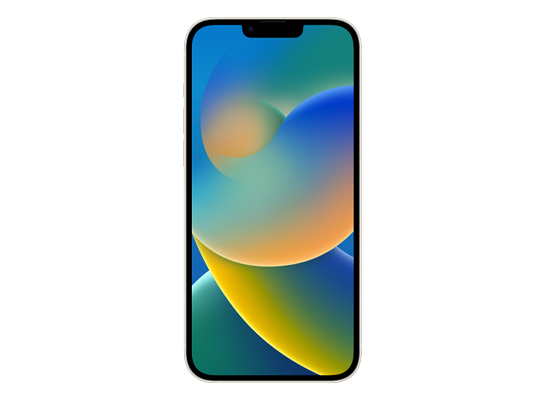
iPhone 14 Plus
Unsigned iPhone14,8 7.81 GB
Download
FilenameiPhone14,8_17.0_21A329_Restore.ipsw SHA-256d08ebba62add2595bc3e28224fe4215b34a240161e43d286b0371e2eb3ccd78b Direct URLhttps://updates.cdn-apple.com/2023FallFCS/fullrestores/042-49476/588B239F-E7AC-483C-BEE5-0475D32D63E9/iPhone14,8_17.0_21A329_Restore.ipsw Size7,812,366,408 bytes (7.81 GB)
iPhone 14
Unsigned iPhone14,7 7.81 GB
Download
FilenameiPhone14,7_17.0_21A329_Restore.ipsw SHA-2561ebd262c47cf56ad526bcf9600cda2aa7045e9cc1e47646b1a5d4e1d79d5a62d Direct URLhttps://updates.cdn-apple.com/2023FallFCS/fullrestores/042-49465/6E7047C4-6F6F-4EE4-B651-71D8D494FCFC/iPhone14,7_17.0_21A329_Restore.ipsw Size7,812,721,591 bytes (7.81 GB)
iPhone 14 Pro
Unsigned iPhone15,2 7.97 GB
Download
FilenameiPhone15,2_17.0_21A329_Restore.ipsw SHA-256fa7f28923f170d77171ebaae543e67b3f502cf274507dd292d2e368c0dcfffca Direct URLhttps://updates.cdn-apple.com/2023FallFCS/fullrestores/042-49374/D2364202-FFBF-4139-B90F-A872FCCF739F/iPhone15,2_17.0_21A329_Restore.ipsw Size7,973,858,109 bytes (7.97 GB)
iPhone 14 Pro Max
Unsigned iPhone15,3 7.95 GB
Download
FilenameiPhone15,3_17.0_21A329_Restore.ipsw SHA-256ad526806b2033f55c2d1d45db4b19e92121a5ab2b309d48f6c56c9a67f9ea90b Direct URLhttps://updates.cdn-apple.com/2023FallFCS/fullrestores/042-49458/67805268-63AD-47F3-B217-54961F6A71D9/iPhone15,3_17.0_21A329_Restore.ipsw Size7,952,947,309 bytes (7.95 GB)
iPhone SE (3rd generation)
Unsigned iPhone14,6 7.49 GB
Download
FilenameiPhone14,6_17.0_21A329_Restore.ipsw SHA-2564e43afdd3fab7e5b7d23a56afa7bccd457ebf802e55748ff7700b9e1e659fd0d Direct URLhttps://updates.cdn-apple.com/2023FallFCS/fullrestores/042-49414/D48E37FB-6D29-47D0-89AA-4F10B8ACDBAB/iPhone14,6_17.0_21A329_Restore.ipsw Size7,494,783,765 bytes (7.49 GB)
iPhone 13
Unsigned iPhone14,5 7.74 GB
Download
FilenameiPhone14,5_17.0_21A329_Restore.ipsw SHA-256d2447872a9d11c2c7fb198c980ce4f3d7c1d9c2991e0b5f5631a4083c32e78e2 Direct URLhttps://updates.cdn-apple.com/2023FallFCS/fullrestores/042-49485/78C8DDCD-A6DC-464F-91C4-222899822120/iPhone14,5_17.0_21A329_Restore.ipsw Size7,743,942,187 bytes (7.74 GB)
iPhone 13 mini
Unsigned iPhone14,4 7.77 GB
Download
FilenameiPhone14,4_17.0_21A329_Restore.ipsw SHA-2566dacf9c9558141af2a408d6ae2b3e04709454e22f887d205a2b721e33c959d39 Direct URLhttps://updates.cdn-apple.com/2023FallFCS/fullrestores/042-49425/B01AA143-8F56-4227-B220-2866C44FECC8/iPhone14,4_17.0_21A329_Restore.ipsw Size7,767,736,929 bytes (7.77 GB)
iPhone 13 Pro
Unsigned iPhone14,2 7.87 GB
Download
FilenameiPhone14,2_17.0_21A329_Restore.ipsw SHA-2568ae28557d64c98ee9a95719c1daa713e872076308904b47f3097210a6c9f8235 Direct URLhttps://updates.cdn-apple.com/2023FallFCS/fullrestores/042-49379/7D1DBEA2-75D7-40FE-BF6B-4C35EEFE2D13/iPhone14,2_17.0_21A329_Restore.ipsw Size7,866,156,399 bytes (7.87 GB)
iPhone 13 Pro Max
Unsigned iPhone14,3 7.87 GB
Download
FilenameiPhone14,3_17.0_21A329_Restore.ipsw SHA-2564fd4256f9568b1bddcd40706a81a1d5676ee4aa1542f175fa3d16a71e122b0d6 Direct URLhttps://updates.cdn-apple.com/2023FallFCS/fullrestores/042-49455/AB462672-A26C-4B4F-ACCA-C8CE479B3A8E/iPhone14,3_17.0_21A329_Restore.ipsw Size7,866,642,840 bytes (7.87 GB)
iPhone 12 mini
Unsigned iPhone13,1 7.66 GB
Download
FilenameiPhone13,1_17.0_21A329_Restore.ipsw SHA-25608d243062749c3abd6dc3cb8dba5624a2ac232431b1b4d70444dacbc7cf92156 Direct URLhttps://updates.cdn-apple.com/2023FallFCS/fullrestores/042-49503/DC2C9D6F-DCF0-4548-A034-F451EA013163/iPhone13,1_17.0_21A329_Restore.ipsw Size7,661,732,752 bytes (7.66 GB)
iPhone 12 Pro Max
Unsigned iPhone13,4 7.79 GB
Download
FilenameiPhone13,4_17.0_21A329_Restore.ipsw SHA-25655081bfeb8cf2a2d8940bfde3f21c70cfc66326ccbd6895f42b87028d371be4c Direct URLhttps://updates.cdn-apple.com/2023FallFCS/fullrestores/042-49468/CCD4064D-DF84-4912-952B-59D622982432/iPhone13,4_17.0_21A329_Restore.ipsw Size7,794,382,952 bytes (7.79 GB)
iPhone 12
Unsigned iPhone13,2 7.84 GB
Download
FilenameiPhone13,2,iPhone13,3_17.0_21A329_Restore.ipsw SHA-2569cf66f43b94efbc7cdac477f91ae45bfb3afcbc30eb7eb4c5dfbdb8589f10f69 Direct URLhttps://updates.cdn-apple.com/2023FallFCS/fullrestores/042-49377/5E8D7617-62C2-4104-9CDB-34F719F91E9D/iPhone13,2,iPhone13,3_17.0_21A329_Restore.ipsw Size7,837,067,460 bytes (7.84 GB)
iPhone 12 Pro
Unsigned iPhone13,3 7.84 GB
Download
FilenameiPhone13,2,iPhone13,3_17.0_21A329_Restore.ipsw SHA-2569cf66f43b94efbc7cdac477f91ae45bfb3afcbc30eb7eb4c5dfbdb8589f10f69 Direct URLhttps://updates.cdn-apple.com/2023FallFCS/fullrestores/042-49377/5E8D7617-62C2-4104-9CDB-34F719F91E9D/iPhone13,2,iPhone13,3_17.0_21A329_Restore.ipsw Size7,837,067,460 bytes (7.84 GB)
iPhone SE (2nd generation)
Unsigned iPhone12,8 7.27 GB
Download
FilenameiPhone12,8_17.0_21A329_Restore.ipsw SHA-2562f9364c206d8ddce055e5882656847921b9c35bb8a77374f7c647ec6e75669cb Direct URLhttps://updates.cdn-apple.com/2023FallFCS/fullrestores/042-49507/97FFA194-BA81-429A-A1B2-A5EA5164E23E/iPhone12,8_17.0_21A329_Restore.ipsw Size7,268,170,988 bytes (7.27 GB)
iPhone 11
Unsigned iPhone12,1 7.29 GB
Download
FilenameiPhone12,1_17.0_21A329_Restore.ipsw SHA-2566d2a4533ba1380ee5fc3d1668c6682d54a0f662fd67a49ac31ba86b28c16f1a6 Direct URLhttps://updates.cdn-apple.com/2023FallFCS/fullrestores/042-49390/D0DC53AB-37FC-4232-8C5F-223FC1CD7528/iPhone12,1_17.0_21A329_Restore.ipsw Size7,293,542,641 bytes (7.29 GB)
iPhone 11 Pro
Unsigned iPhone12,3 7.44 GB
Download
FilenameiPhone12,3,iPhone12,5_17.0_21A329_Restore.ipsw SHA-25620248ec8bd3be79fb91bc1f8c81c993af19f43e6acaa2616c445b93cce351778 Direct URLhttps://updates.cdn-apple.com/2023FallFCS/fullrestores/042-49447/F528276C-A733-40ED-AA3F-E11966912D77/iPhone12,3,iPhone12,5_17.0_21A329_Restore.ipsw Size7,438,016,810 bytes (7.44 GB)
iPhone 11 Pro Max
Unsigned iPhone12,5 7.44 GB
Download
FilenameiPhone12,3,iPhone12,5_17.0_21A329_Restore.ipsw SHA-25620248ec8bd3be79fb91bc1f8c81c993af19f43e6acaa2616c445b93cce351778 Direct URLhttps://updates.cdn-apple.com/2023FallFCS/fullrestores/042-49447/F528276C-A733-40ED-AA3F-E11966912D77/iPhone12,3,iPhone12,5_17.0_21A329_Restore.ipsw Size7,438,016,810 bytes (7.44 GB)
iPhone XR
Unsigned iPhone11,8 7.41 GB
Download
FilenameiPhone11,8_17.0_21A329_Restore.ipsw SHA-256c7177bd3b44dc3f8a15a592ed6a0061cfaadba7780d7e7fc8766fdcd94603aae Direct URLhttps://updates.cdn-apple.com/2023FallFCS/fullrestores/042-49415/A6D69931-A729-44D2-AC2A-EB3ED7E20EBB/iPhone11,8_17.0_21A329_Restore.ipsw Size7,410,380,136 bytes (7.41 GB)
iPhone XS
Unsigned iPhone11,2 7.59 GB
Download
FilenameiPhone11,2,iPhone11,4,iPhone11,6_17.0_21A329_Restore.ipsw SHA-2563dcdd033c947887a6c90664ea67f4d25f83a373410e8c5e8753c8b7edc403db7 Direct URLhttps://updates.cdn-apple.com/2023FallFCS/fullrestores/042-49444/58C92BFA-E651-47E3-8B34-8585189CAA38/iPhone11,2,iPhone11,4,iPhone11,6_17.0_21A329_Restore.ipsw Size7,588,256,296 bytes (7.59 GB)
iPhone XS Max
Unsigned iPhone11,6 7.59 GB
Download
FilenameiPhone11,2,iPhone11,4,iPhone11,6_17.0_21A329_Restore.ipsw SHA-2563dcdd033c947887a6c90664ea67f4d25f83a373410e8c5e8753c8b7edc403db7 Direct URLhttps://updates.cdn-apple.com/2023FallFCS/fullrestores/042-49444/58C92BFA-E651-47E3-8B34-8585189CAA38/iPhone11,2,iPhone11,4,iPhone11,6_17.0_21A329_Restore.ipsw Size7,588,256,296 bytes (7.59 GB)
iPhone XS Max (China mainland)
Unsigned iPhone11,4 7.59 GB
Download
FilenameiPhone11,2,iPhone11,4,iPhone11,6_17.0_21A329_Restore.ipsw SHA-2563dcdd033c947887a6c90664ea67f4d25f83a373410e8c5e8753c8b7edc403db7 Direct URLhttps://updates.cdn-apple.com/2023FallFCS/fullrestores/042-49444/58C92BFA-E651-47E3-8B34-8585189CAA38/iPhone11,2,iPhone11,4,iPhone11,6_17.0_21A329_Restore.ipsw Size7,588,256,296 bytes (7.59 GB)
Version
iOS 17.0
Build
21A329
Released
September 18, 2023
Channel
Public release
Previous
iOS 16.7 RC
Next
iOS 16.7

How to install iOS 17.0 from the IPSW

Four steps, and the one that matters most is the first.

Back up first

A restore erases the device. Make an archived backup in Finder or the Apple Devices app — an iCloud backup taken on a newer version cannot be restored onto an older one. Our backup guide covers the difference.

Get the file for your exact model

Check Settings → General → About → Model Name, then download the IPSW for that device. The download shows the file size; compare it with the SHA-256 under Details if you want to be certain the file is intact.

Restore in Finder or Apple Devices

Connect with a cable, select the device, then hold Option (Mac) or Shift (Windows) and click Restore to choose the .ipsw. Update keeps your data but only works upward; Restore erases and is how you downgrade.

Set up or restore your backup

After the restore the device starts fresh. Restore the backup you made — only if it came from the same or an older version than the one you just installed.

Questions? Answers.

Can I restore iOS 17.0 today?

Not at the moment — Apple has stopped signing 21A329, so a restore will be rejected at the final step. The files remain here for reference and for signed re-releases.

Which is the right file for my device?

Match the identifier in Settings → General → About (or under the model's name here) against the one on each row. Wi-Fi and Cellular iPads share a file; different generations never do. Restoring the wrong device's IPSW simply fails — it cannot damage the device.

What does "signed" mean?

Apple's servers must approve a firmware before a device will accept it, and Apple only approves the builds it is currently shipping. A signed file can be restored today; an unsigned one is rejected at the end of the process, however you obtained it. Signing status changes without notice, usually within days of a newer release, which is why this catalogue rechecks it automatically.

Will I lose my data?

A Restore erases the device — that is what makes a downgrade possible. An Update with an IPSW keeps your data, but only when moving to a newer version. Either way, make an archived backup on a computer first; an iCloud backup taken on a newer version will not restore onto an older one.